Where should I attach the troveo.yaml file when I upload?
Last updated: October 15, 2025
Your troveo.yaml file helps Troveo’s system recognize and correctly process your uploaded content. This file should always be included with your submission to ensure smooth ingestion and accurate tracking.
You can download your troveo.yaml file at the bottom of the Hard Drive form.
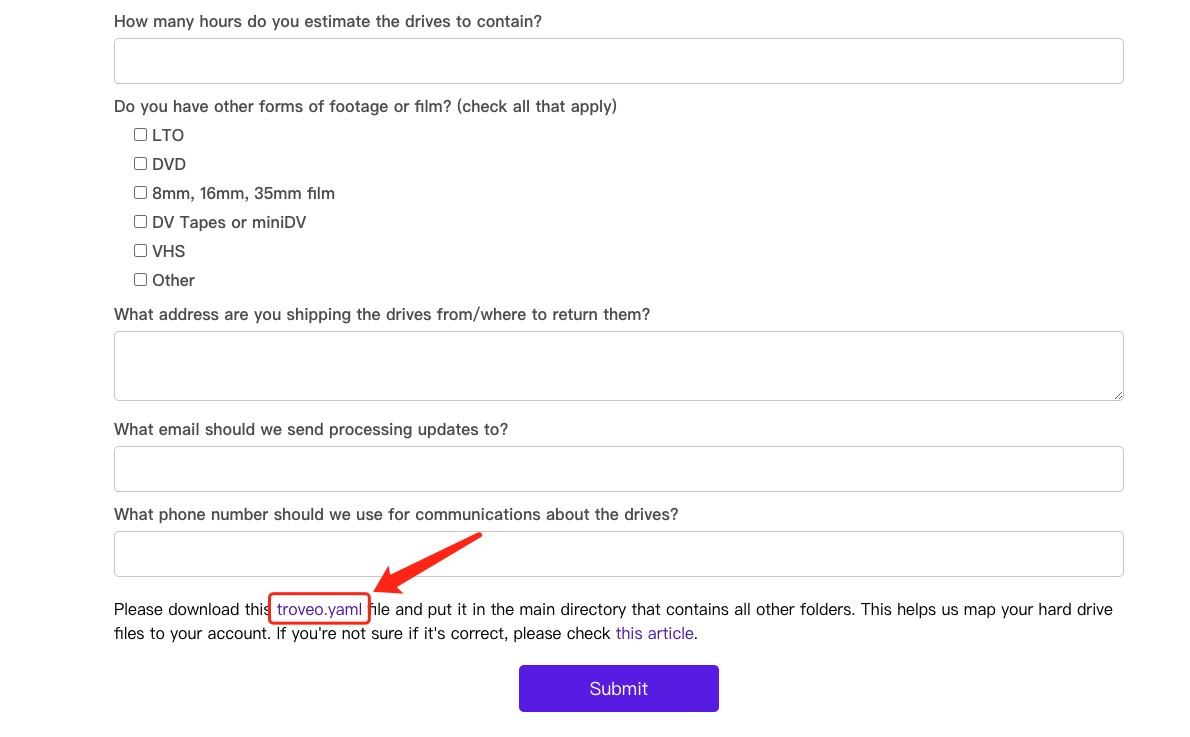
Put the troveo.yaml file into main directory of your hard drive.
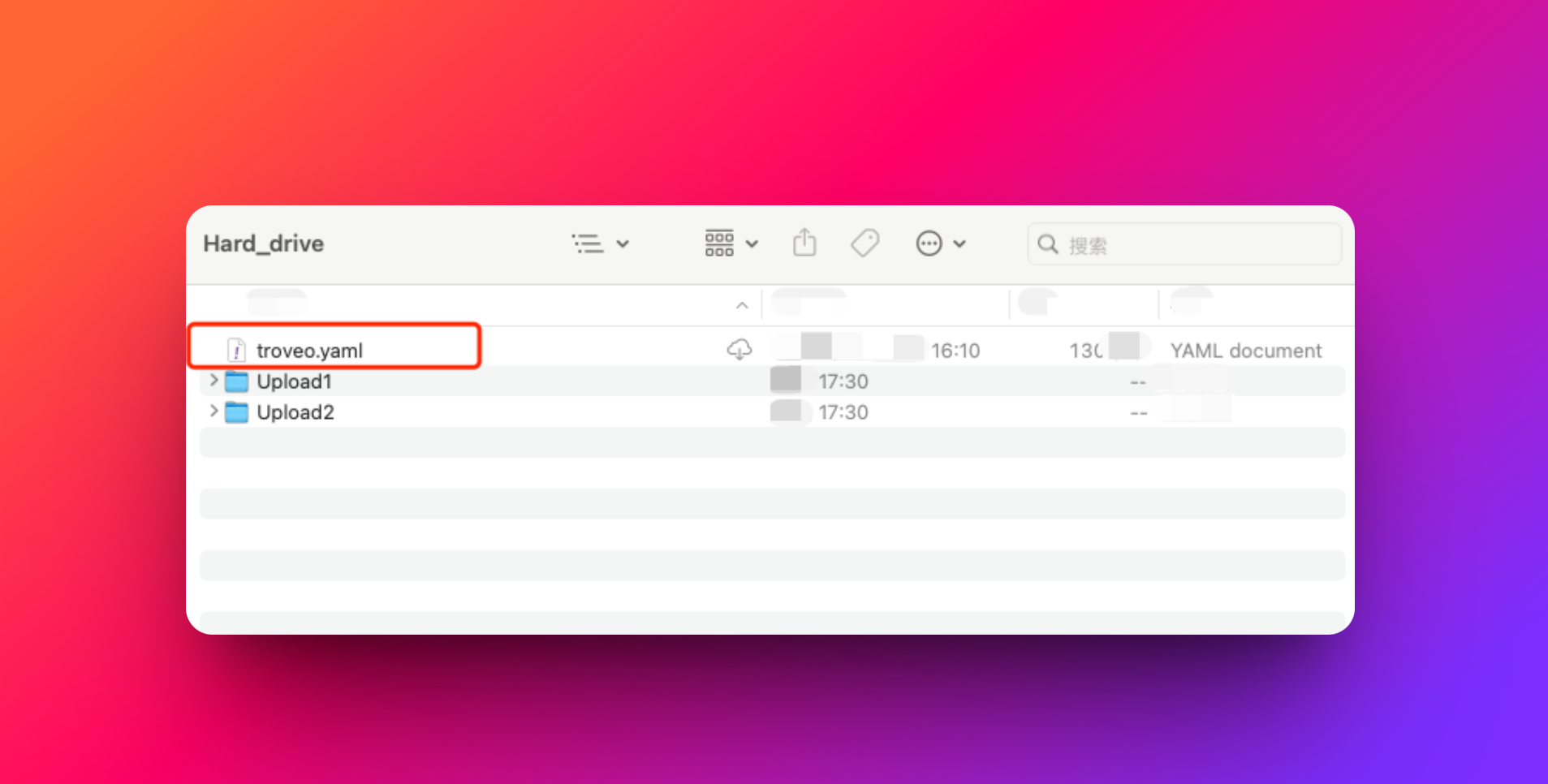
Always include your troveo.yaml file in the top-level directory of your upload. This small step ensures your content is recognized, organized, and processed without delays.